Introduction to Proxies and Their Importance
In the digital age, where online privacy and access to global content are pivotal, proxies serve as essential tools. They help in bypassing geo-restrictions, enhancing anonymity, and improving security. Understanding the implementation of proxies, especially on Linux terminals, is crucial for tech enthusiasts and professionals alike.
Understanding Proxies
What is a Proxy?
A proxy acts as an intermediary between your computer and the internet. It helps in masking your IP address, thereby providing a layer of anonymity and security while you browse the web.
Types of Proxies
- HTTP Proxies: Ideal for web browsing and internet access.
- SOCKS Proxies: Versatile, used for any application, such as streaming or gaming.
- Transparent Proxies: Often used by companies to filter content and monitor traffic.
Setting Up a Proxy on Linux Terminal
Step-by-Step Guide
Setting up a proxy on the Linux terminal requires a few straightforward steps. Follow this detailed guide to configure a proxy efficiently.
Step 1: Identify Your Proxy Server Details
Before configuring your proxy, gather the necessary details like the proxy IP address, port number, and authentication credentials if needed.
Step 2: Configure Environment Variables
Set up environment variables in your terminal to apply the proxy settings globally.
export http_proxy=http://username:password@proxyserver:port
export https_proxy=https://username:password@proxyserver:port
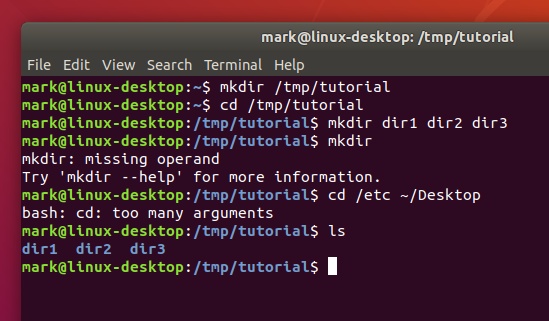
Step 3: Verify Proxy Settings
To ensure your proxy settings are correctly applied, use the following command:
env | grep -i proxyAdvanced Proxy Configuration
Using Proxy Chains
For enhanced anonymity, you can daisy-chain multiple proxies using tools like ProxyChains. This method adds multiple layers of security.
Configuring Proxy for Specific Applications
Some applications might require explicit proxy settings. Learn how to configure individual applications to ensure seamless access.

Troubleshooting Common Issues
Connectivity Problems
If encountering connectivity issues, verify the proxy server details and ensure the correct port and IP address are being used.
Authentication Failures
Ensure your credentials are correctly entered in the configuration. Recheck the username and password, and update if necessary.
Proxy Provider |
|---|
 $12.9/5IP  |
 $23.77/11IP |
 $12.9/5IP |
Conclusion
Mastering the setup and use of proxies on a Linux terminal in 2025 is a valuable skill. Whether you aim to enhance your online privacy or bypass content restrictions, understanding proxy configurations is key. Utilize the steps and tips provided in this guide to achieve a secure and unrestricted browsing experience.